

An employee opens a PDF that appears to come from a regular supplier. Nothing looks unusual. Three weeks later, the company discovers that someone has been inside for twenty-one days reading emails, copying databases and waiting for the right moment to demand a ransom. It was not just “a virus”. It was a remote access trojan —a RAT— hidden inside an invoice.
Malware is not a generic word you can afford to ignore. Each type attacks differently, enters differently, is detected differently and must be contained differently. Antivirus does not stop modern ransomware. EDR can. A firewall does not detect an infostealer that is already inside. A SOC can. Knowing what you are facing is what decides whether an infection stays on one device or paralyses the company.
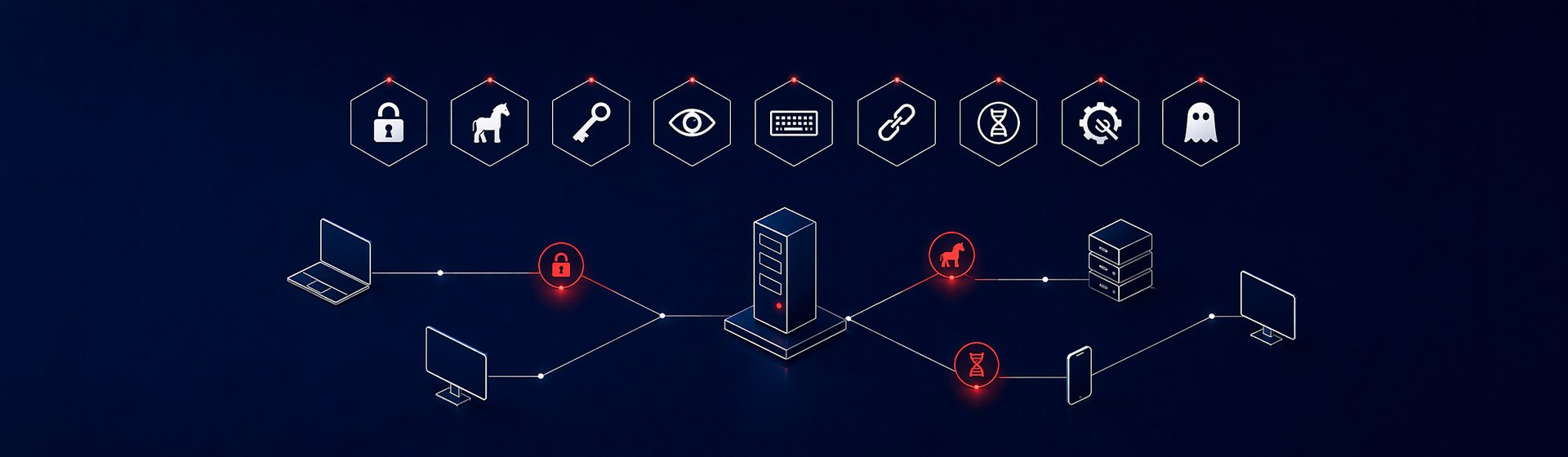
In this guide we review the nine types of malware that truly matter today, how you would recognise them inside your network and which defence layer stops each one.
What is malware (and why the word can be misleading)
Malware is short for malicious software: any program, script or code designed to damage, steal, spy or take control of a device without the owner’s permission. It is an umbrella term. It includes viruses, worms, trojans, ransomware, spyware, keyloggers, rootkits, bots, infostealers, malicious adware and fileless malware.
The problem with saying just “malware” is that it does not tell you how it got in or how it behaves. And without that, you cannot defend yourself. Calling ransomware or an infostealer “malware” is like calling both flu and cancer “illness”: technically correct, operationally useless.
"ANTIVIRUS IS NOT THE SAME AS ANTI-MALWARE.
MODERN MALWARE IS NOT JUST VIRUSES."
The 9 types of malware you need to know
They are ordered by real impact in 2024-2025, not by historical popularity. Some are familiar; others have changed shape in recent years.
Ransomware
Encrypts files and demands payment. It generates the highest operational and reputational cost. Today operators work through a Ransomware-as-a-Service model: one organisation develops the malware, affiliates deploy it. Active families in 2024-2025 include Akira, LockBit, BlackCat/ALPHV, Trinity, Play and Medusa. It usually enters through exposed RDP, phishing or an unpatched vulnerability, moves laterally for days before encryption and exfiltrates data before encrypting to use it as second pressure (double extortion). Stopping it requires EDR with behavioural rules, immutable backup and network segmentation.
Trojans — including RATs
Malware disguised as legitimate software or documents. Once inside, it can do almost anything: open backdoors, steal credentials or install ransomware. RATs (Remote Access Trojans) give the attacker remote control of the machine as if they were sitting in front of it. Known examples include Emotet, TrickBot, Zeus and AgentTesla. They enter through email attachments, cracked installers or compromised websites. Traditional antivirus detects only part of new variants; modern EDR detects far more because it looks at behaviour.
Infostealers
The silent threat that has grown fastest since 2022. These are trojans specialised in stealing credentials, session cookies, browser data and tokens for anything the user has saved: corporate email, banking, VPNs, admin panels. They are sold as a service on underground forums. Dominant families include RedLine, Raccoon, LummaC2, StealC and Vidar. The problem is that stolen cookies can bypass 2FA. Detection requires EDR plus monitoring of leaked credentials in underground markets.
Spyware
Spy software that collects information without permission: what you type, which websites you visit, which documents you open, which calls you make. It ranges from advanced spyware such as Pegasus to low-cost commercial variants sold to companies to “monitor employees”. Unlike an infostealer, spyware monitors continuously instead of performing one quick extraction. It is detectable through anomalous network behaviour, such as constant uploads to unusual IPs.
Keyloggers
A spyware subfamily specialised in recording keystrokes. They can be software-based or hardware-based, such as a small USB device placed between the keyboard and computer. They capture passwords, card numbers and confidential emails. They have existed since the 1990s and remain effective precisely because many people consider them “old”. An EDR with behavioural analysis detects them; generic antivirus does not always do so.
Worms
Malware that replicates itself and spreads across the network without human action. It exploits vulnerabilities in operating systems or exposed services. The most famous case remains WannaCry in 2017, which exploited EternalBlue in SMB. Today worms are less common as isolated threats, but still appear inside complex campaigns. Real defence means fast patching and segmentation: a worm that meets well-designed VLANs stays contained.
Computer viruses
The originals. Malicious code that attaches itself to legitimate files and replicates when the user runs them. In 2025 they are a minority of total malware: attackers prefer trojans and infostealers because they monetise better. Viruses still appear, but more often as components inside complex campaigns than as standalone threats. Any modern antivirus detects them; they are not usually the main concern today.
Rootkits
Malware designed to obtain administrator privileges and hide from the operating system. They intercept kernel calls and hide processes, files and connections. They are among the hardest to detect: a well-built rootkit is invisible to tools running on the infected OS. Detection requires low-level forensic analysis, such as booting from clean media and inspecting firmware. Rare, but devastating.
Fileless malware
It leaves no file on disk. It runs directly in memory using legitimate system tools: PowerShell, WMI, Office macros and scripts. Traditional antivirus does not see it because there is no file to analyse. It is a favourite technique among advanced groups and increasingly common in ransomware campaigns. It requires EDR with behavioural detection and often PowerShell or macro restrictions at policy level.
Bots, botnets, malicious adware, cryptojacking and wipers. There are more categories than can fit in a useful list. Bots and botnets are infrastructure: infected machines added to an attacker-controlled network, often for DDoS or spam. Malicious adware and cryptojacking usually enter through unreliable installers. Wipers erase data without demanding ransom; they are used for sabotage, not business. They are real, but they are not usually the first operational concern for an average company today.
How malware enters a company
More than 80% of the malware that affects organisations enters through six known routes. If your company controls these six layers, the attack surface drops dramatically.
| Entry route | What it exploits | Layer that stops it |
|---|---|---|
| Email phishing | Malicious attachments or links. A user clicks. | Advanced filtering + training + MFA |
| Exposed RDP / VPN | Weak or stolen credentials, lack of MFA | Mandatory MFA, VPN without direct RDP, minimal exposure |
| Unpatched vulnerability | Exchange, Fortinet, Cisco, browser or CMS plugin | Vulnerability management + prioritised patching (EPSS) |
| Malicious website or drive-by | User visits compromised site or malvertising | DNS filtering + EDR + updated browser |
| Pirated software / cracks | Trojanised installers of “free” software | Controlled software policy + legal licences |
| Supply chain | Compromised supplier or malicious signed update | SIEM monitoring + least privilege |
Key point: phishing is still the largest door, but remote services exposed without MFA cause the most severe incidents. A bad click may infect one machine. Exposed RDP without MFA can compromise an entire domain.
Signs that malware is inside your network
Modern malware does not put a blinking skull on screen. It stays hidden for weeks. These are the seven objective signs that any security team with the right tools should be able to detect.
Connections to unusual IPs
Corporate devices talking to IPs in countries where the company has no business, or to newly registered servers. A SIEM correlates this easily. A firewall without intelligence does not.
Suspicious PowerShell or scripts
PowerShell sessions with encoded parameters (-enc), WMI executing strange commands, new scheduled tasks with no clear owner. Classic signature of fileless malware or lateral movement.
Accounts with anomalous use
Logins at 3 AM from impossible locations, travel-speed anomalies between attempts, unexpected privilege escalation. Good EDR/XDR marks this automatically.
Processes you do not recognise
Binaries running from %AppData%, %Temp% or odd paths, newly created services, Word or Excel spawning cmd.exe. All of this is detectable and should alert.
Exfiltration: large uploads
Outbound data volume that does not match normal operations: a workstation uploading gigabytes to an unknown domain at 2 AM. That is ransomware preparing to encrypt.
Antivirus or EDR disabled
One of the first steps of any serious attacker is to disable endpoint protection. If your EDR stops reporting on one or several machines, assume compromise until proven otherwise.
External contacts warning you about spam from you
Suppliers or customers receiving suspicious emails “from” your company. Clear sign of a compromised account or active infostealer. Change passwords, invalidate sessions and review hidden forwarding rules.
DOWNLOAD THE EARLY-DETECTION CHECKLIST
We have prepared a one-page checklist with the objective signs of malware infection your system administrators can check today, without needing advanced EDR. Based on real incidents we have seen during the last year.
How to defend your company against malware
No single layer stops everything. There are seven layers that, combined, reduce risk to manageable levels. If one is missing, that is the door the next incident will use.
EDR/XDR, not just antivirus
An EDR detects by behaviour, not only by signature. Traditional antivirus detects only part of modern malware; EDR is a different category of tool.
Mandatory MFA everywhere
Email, VPN, RDP, admin panels, banking, CRM. No exceptions. Lack of MFA is the root cause of many serious incidents. Implementation cost is low; the cost of not having it can be ransomware.
Immutable and verified backup
Copies that attackers cannot encrypt or delete even with admin permissions. 3-2-1-1-0 rule and a real restore test every quarter. A backup nobody has ever restored does not exist.
Network segmentation
VLANs separating IT, OT, production, servers and guests. An incident starting on an admin PC should not reach the file server or ERP without crossing an internal firewall.
Vulnerability management
Inventory, recurring scans, patching prioritised by EPSS and CVSS. Exchange, Fortinet and SSL VPN vulnerabilities are heavily exploited; patch those in days, not months.
Training and drills
Internal simulated phishing campaigns, quarterly, with metrics by department. Not to catch anyone out, but to know where to invest training.
24/7 monitoring (SOC or MDR)
Alerts are useless if nobody looks at them. A SOC or MDR service ensures that when EDR detects something at 2 AM on a Sunday, someone responds.
FAQs
about types of malware
What is the difference between a virus and malware?
Malware is the umbrella term for any malicious software. A virus is one specific type of malware: the kind that attaches to legitimate files and replicates when they are run. Every virus is malware; not every malware is a virus.
Does antivirus protect me from ransomware?
Partially. Classic antivirus detects known ransomware by signature, but new variants often get through. For modern ransomware you need EDR, immutable backup and network segmentation.
What is an infostealer and why is it so dangerous?
It is a trojan that steals credentials and session cookies from the browser. Cookies can bypass 2FA, allowing access without password or second factor.
How can malware enter without anyone clicking?
Through unpatched vulnerabilities in exposed services such as Exchange, SSL VPNs or management panels; through supply chain attacks; or through credentials stolen in a previous incident.
Is Microsoft Defender enough?
It depends on the version and configuration. Basic Defender Antivirus is not EDR. Defender for Business or Defender for Endpoint can provide EDR/XDR capabilities when properly configured and monitored.
How long does an attacker wait before encrypting?
Modern ransomware groups often spend 3 to 21 days inside the network before encryption, using that time to move laterally, escalate privileges, find backups and exfiltrate data.
How do I know if my company is already infected?
Look for unusual IP traffic, suspicious PowerShell, anomalous account use, disabled EDR, large data uploads at odd hours or external contacts warning you about spam. If you see any of these, you need threat hunting or a compromise assessment.
Does malware exist on Mac?
Yes, and increasingly so. macOS has specific infostealers, adware and trojans in pirated installers. A corporate Mac needs EDR just like Windows.
DO YOU WANT TO KNOW WHETHER YOUR COMPANY HAS SECURITY GAPS?
Outdated antivirus, MFA not applied to email, a firewall without internal segmentation. The gaps that malware uses tend to be the same. If you want to know where your company stands, we can run a no-obligation diagnosis: we review the seven key layers and tell you where to start.
Team in Palma, no outsourcing.